Pallet Variables
Offered by the Palletizing and Advanced Palletizing Nodes. The Grid Node has its own set, the Grid Variables.
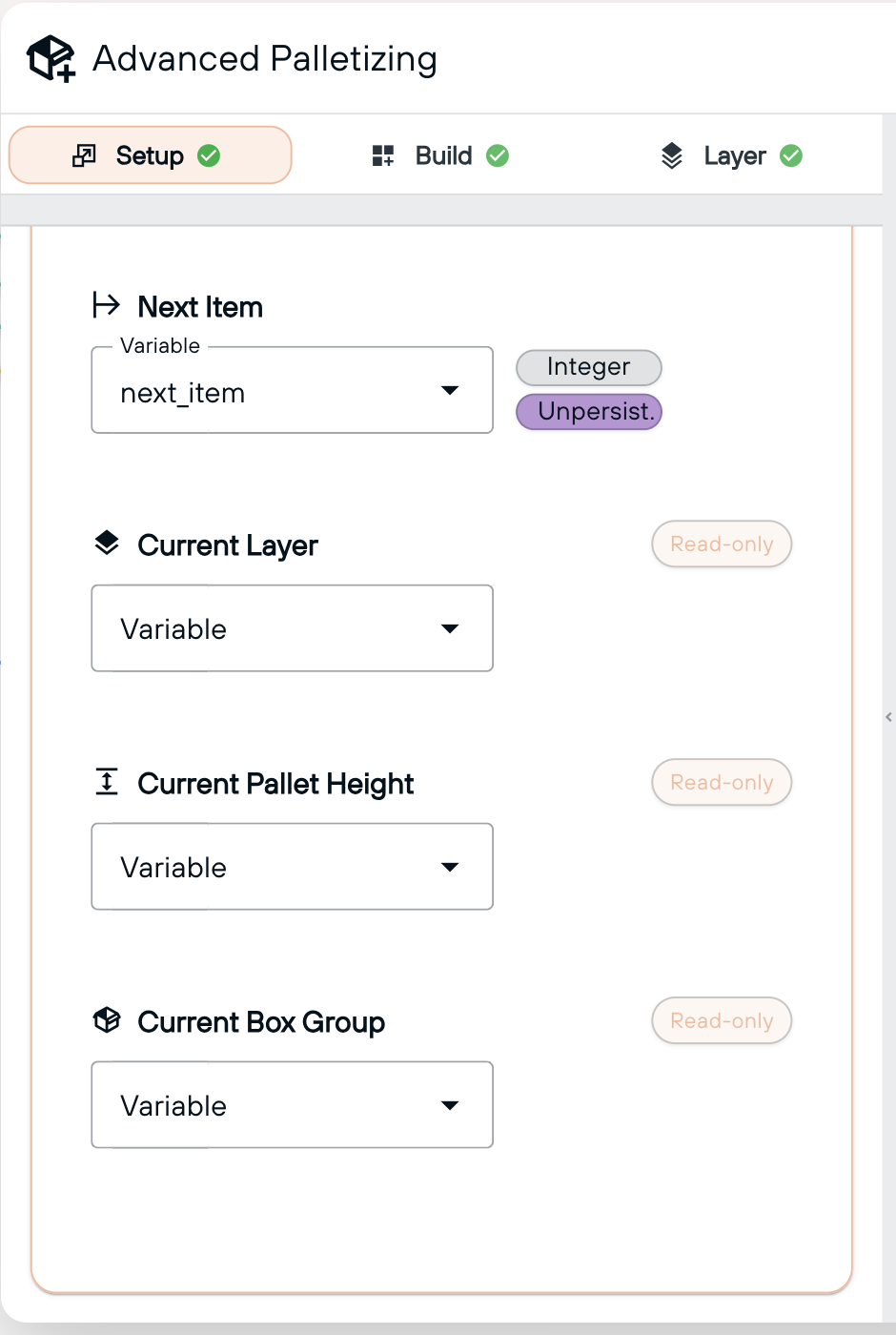
The Pallet Variables card is the last card of the configuration panel that Configure Pallet opens (card 5 on Palletizing, card 6 of the Setup step on Advanced Palletizing). Every Variable on it is optional: bind one when you want to read the palletizing progress elsewhere in your Flow, or steer it from outside. Select an existing Variable of the right type from the drop-down, or create one first in the Variables menu.
Each drop-down lists only Variables of the matching type that the Node can write to. Constants, read-only Variables and inputs are not offered. Clear a field with its ×. Rows the Node writes are marked Read-only.
| Variable | Type | Written by | What it holds |
|---|---|---|---|
| Next Item | Integer | you | The item the Node processes next. |
| Current Layer | Integer | the Node | The layer being worked on. |
| Current Pallet Height | Float | the Node | The height of the current layer. |
| Current Box Group | String | the Node | The name of the Box Group the current item belongs to. Advanced Palletizing only. |
Next Item
This Variable tracks the next item to be processed in the palletizing operation. When it is bound, the Node always processes the item whose number matches the Variable's current value. The value is the item number, counted from 1 in palletizing order (the numbers the Node shows). You have to change the Variable yourself in every iteration, for example with a Variable Node.
To finish the Node, set the Variable to a number outside the Node's ITEMS range. The Node then runs its After Completion branch.
Current Layer
This Variable indicates the layer currently being worked on, as the layer number counted from 1 (Layer 1 is the bottom layer). The Node computes the layer and writes it into the Variable, so you can use it throughout the Flow — for example in a Condition Node. Only read it: do not overwrite it yourself.
Current Pallet Height
This Variable holds the Z height in mm, in the Robot's base coordinate system, at which the current layer is gripped. That is Pose A's Z plus the height of one layer for each layer below. On Advanced Palletizing, a layer is one box high. On Palletizing, a layer is the length of the A → E offset divided by the number of layers minus one. The Node computes the height and writes it into the Variable. Use it throughout your Flow, for instance in a Pose Expression that places an interlayer with a Cartesian Movement Node. Only read it: do not overwrite it yourself.
Current Box Group
Offered by the Advanced Palletizing Node only. This Variable tells you which Box Group the currently active item is assigned to: it holds the name of the item's Box Group, for example "Group B".